


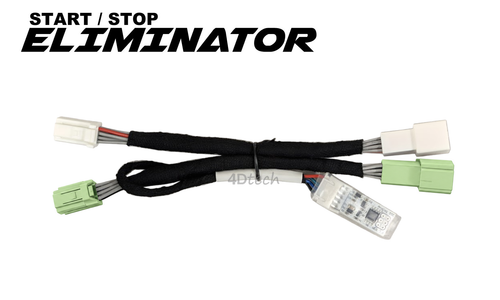

Product details
How it works
The device automatically turns Auto Start / Stop off at each startup. You can use the factory Start / Stop button to re-enable the system for the current drive.
Factory remote start continues to work with the Start / Stop Eliminator installed.
Check your fitment
- 2025 & 2026 Nissan Murano
Installation
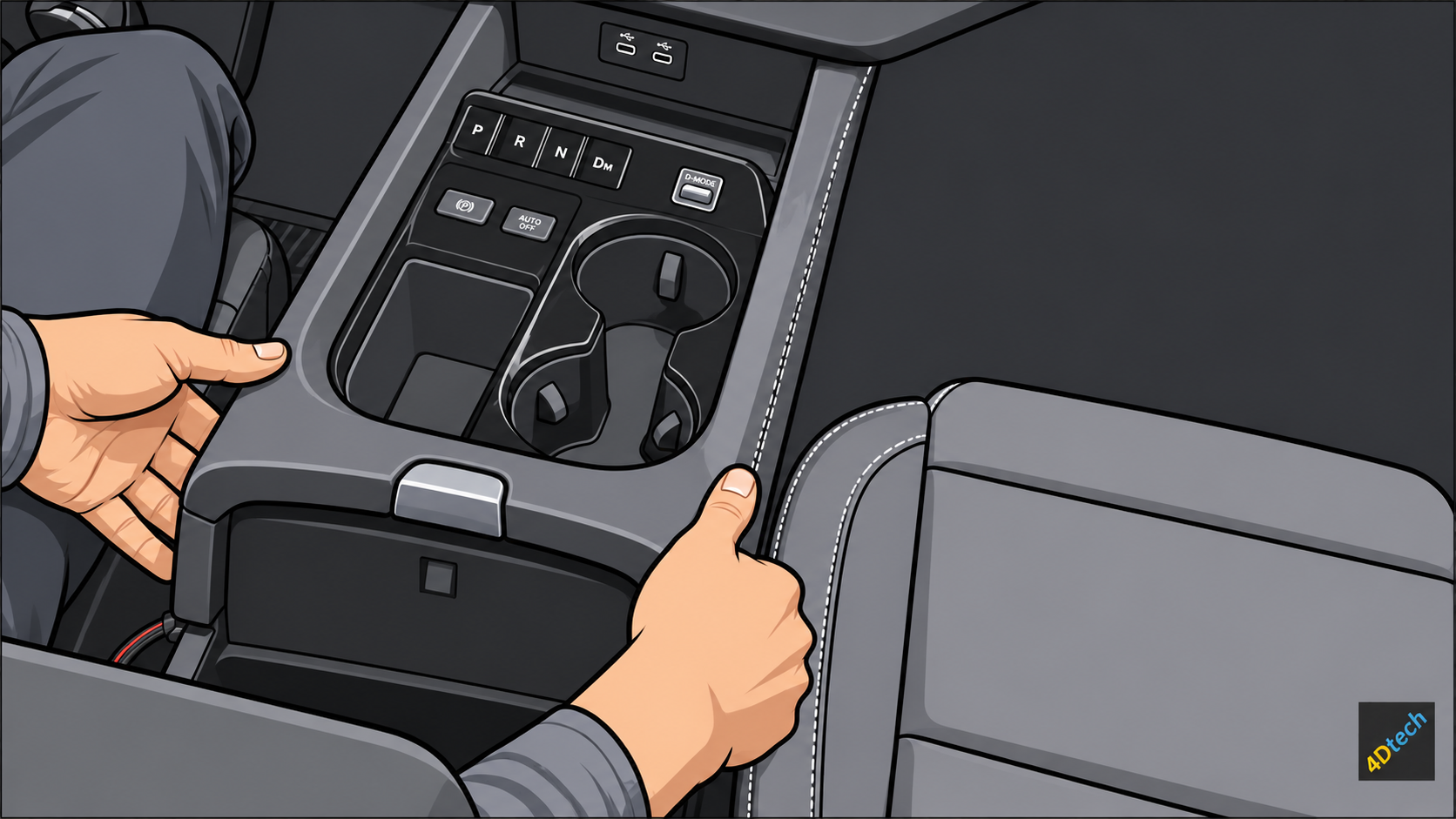
Open the storage lid and unclip both sides of the console top.
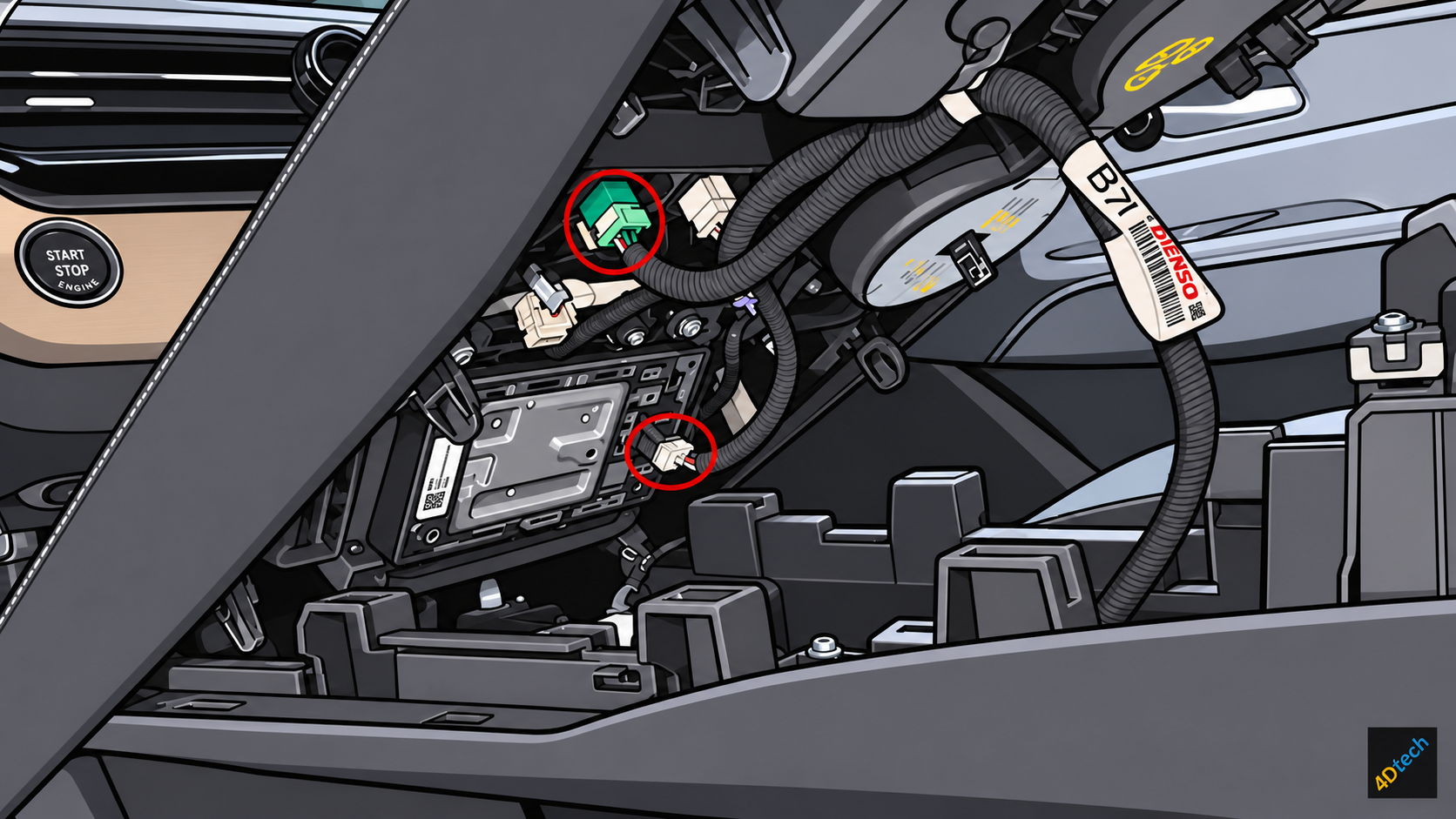
Connect inline at the green Auto Off switch connector and the lower white connector at the wireless charging pad.
- Open the rear storage lid. Grip the rear edges of the console top and carefully unclip both sides. Pull the panel slightly toward the rear, then tilt it up to reach the connectors underneath.
- Press each connector release tab and unplug the green connector behind the Auto Off switch and the white connector at the wireless charging pad. Plug the Start / Stop Eliminator inline with both connections. All four harness connections must be fully seated and latched.
- Tuck the device and wiring clear of the clips. Lower the console top, slide it forward, align it, and press it back into place.
Watch the Murano installation video.
A paper quick-start guide is included. For help with your installation, contact our support team.
Designed by 4D Tech.
Supported by 4D Tech.
We design the circuit board, firmware and wiring harness for our Start / Stop Eliminators. Your purchase includes installation guidance and support directly from the designers.
Designed and supported in the USA. Meet 4D Tech.