Your vehicle. Better to drive.Help Center U.S. technical support

Pacifica / Voyager gateway module access

Help Center / Start / Stop installation

The module in my Pacifica or Voyager looks different from the video

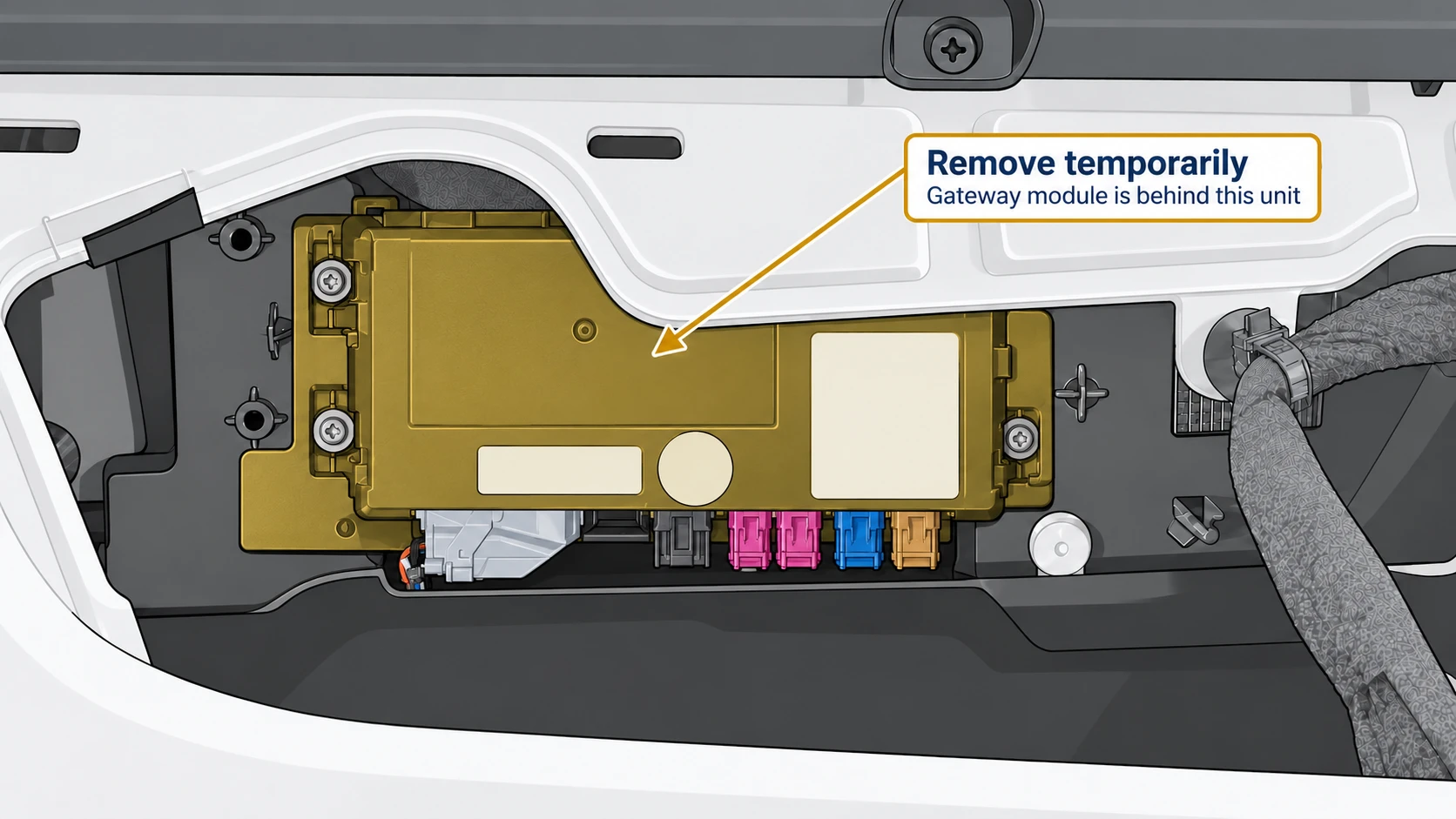
Your vehicle may have an extra module in front. Some Pacifica and Voyager trims have a larger telematics module covering the gateway module used for the Start / Stop Eliminator installation.

Before: Module blocking access

The larger telematics module is highlighted in amber.
Temporarily remove this module for access.

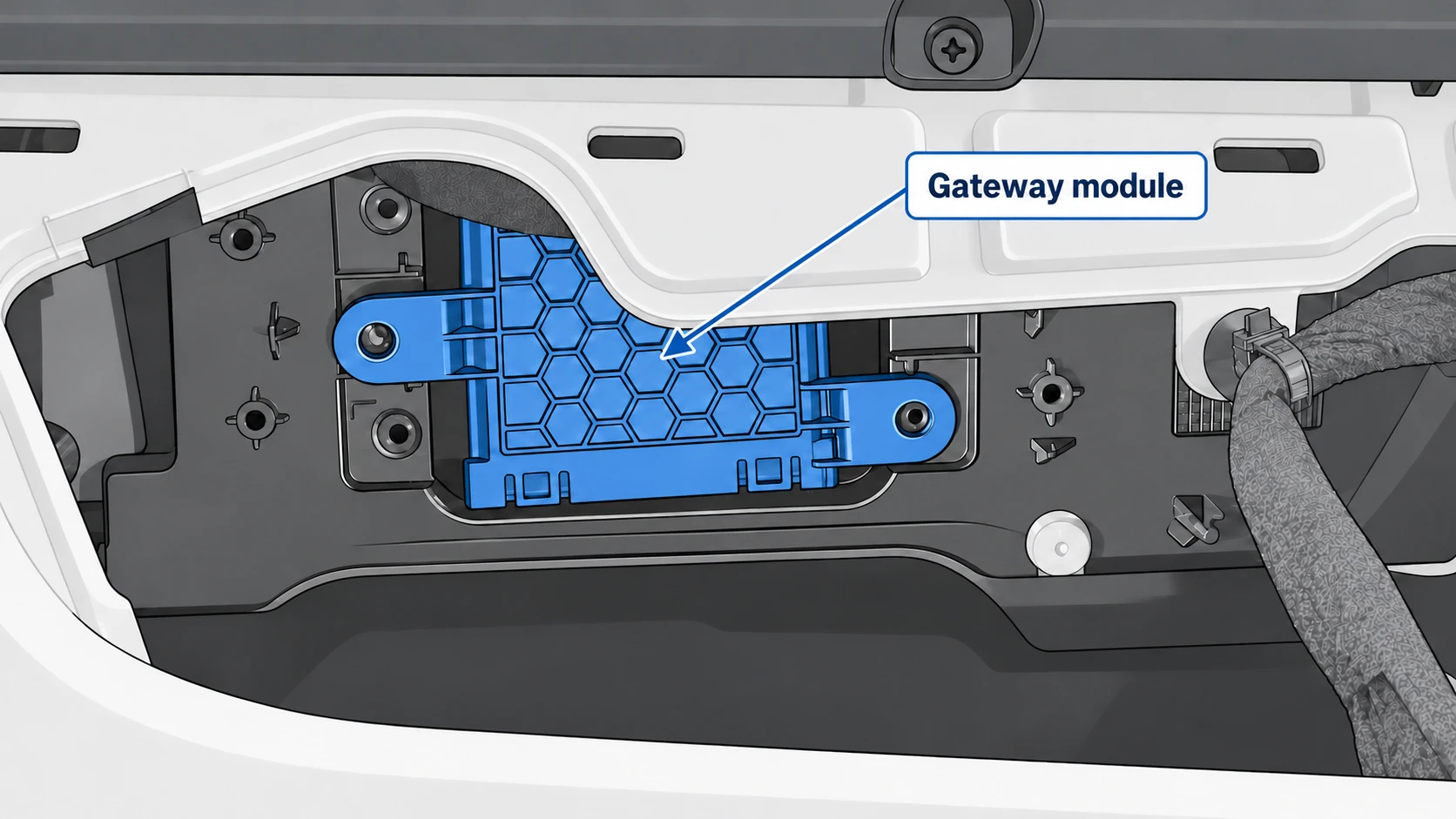
After: Gateway module exposed

The gateway module behind it is highlighted in blue.
The gateway module used for installation. Illustrations simplify surrounding details; not every mounting screw is visible.

How to access the gateway module

  1. Follow the preparation and access steps in your product’s installation video.
  2. If the larger telematics module blocks access, remove its four mounting screws and disconnect the module to access the gateway behind it.
  3. Continue with the gateway connection shown in the installation video. The amber-highlighted telematics module is not the module used for the Start / Stop Eliminator connection.

Watch the Pacifica / Voyager installation video or open the product listing.

Does your vehicle look different from both views? Contact us with your vehicle year and a clear photo before disconnecting anything.