
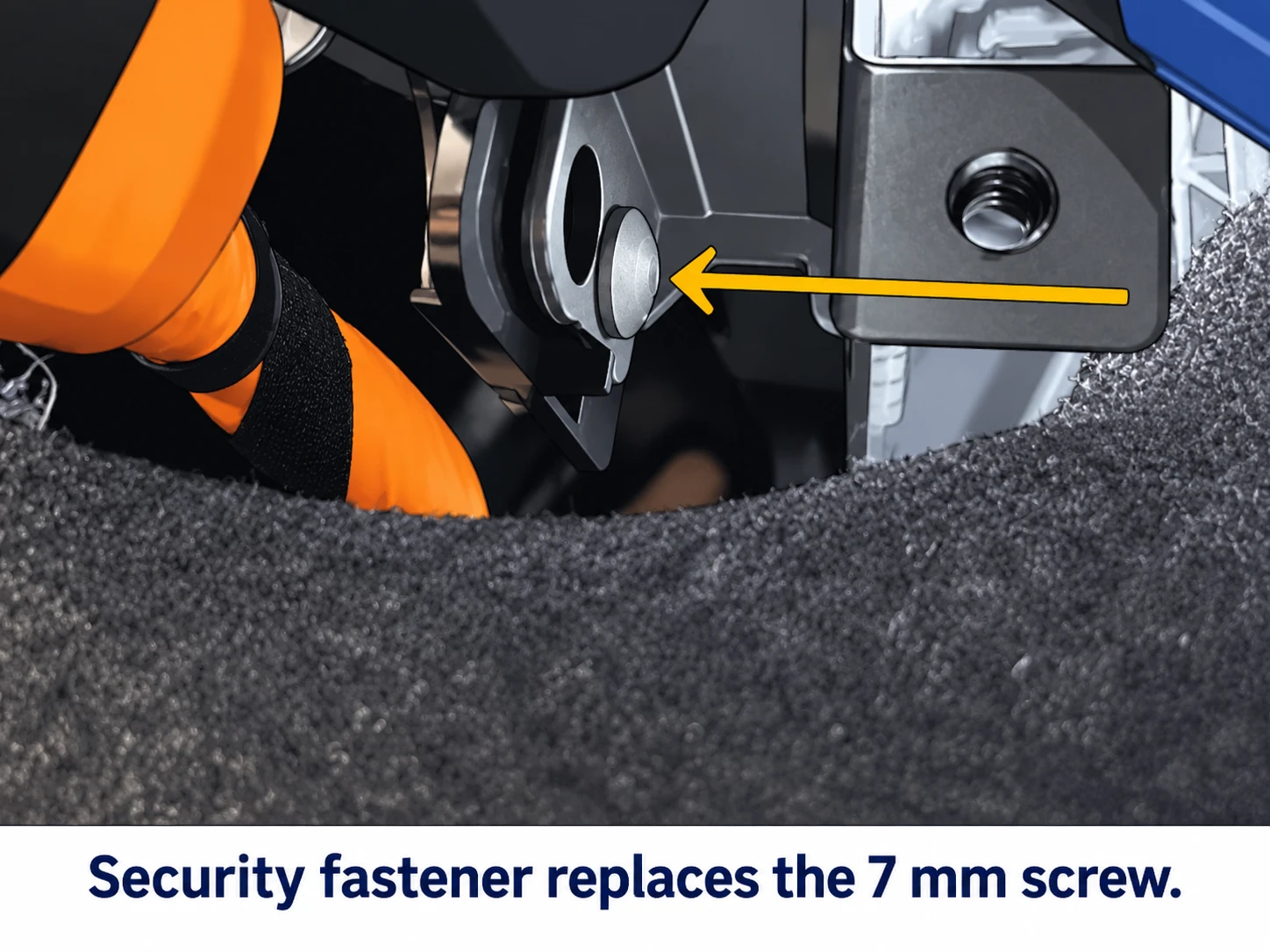
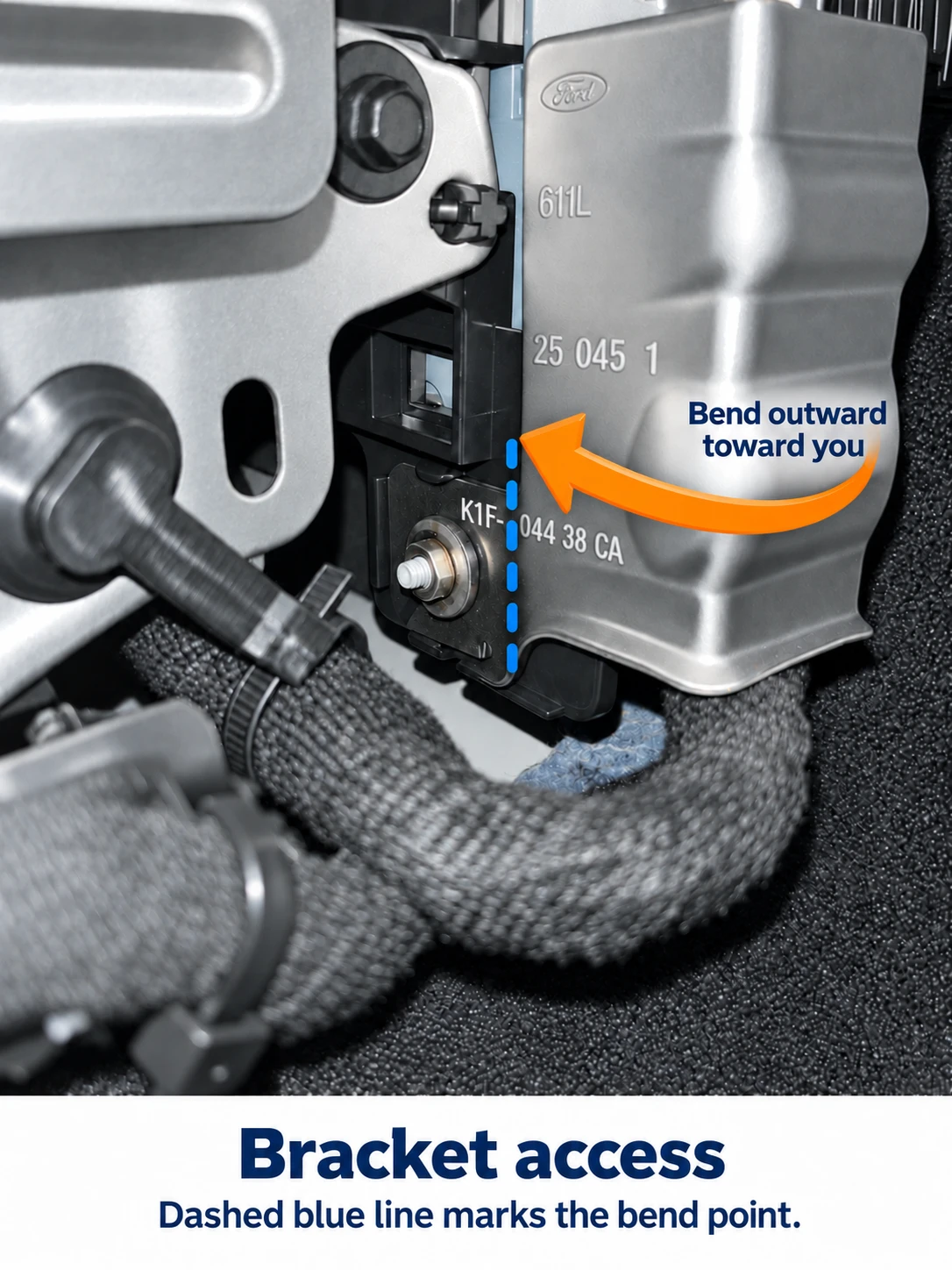
Help Center / Start / Stop installation Some 2025 Maverick and Bronco Sport vehicles, and 2026-and-later vehicles with this bracket, have a security fastener where the installation video shows a 7 mm screw. Use the steps below only if your fastener and bracket match both illustrations. If anything differs, contact us before bending the bracket or disconnecting the module. The amber arrow points to the security fastener. Compare its position and surrounding bracket with your vehicle. Grasp the right edge of the connector-protection bracket. Bend it outward toward you around the hinge point marked by the dashed blue line, following the curved amber arrow, just enough to access the connector. Do not force the connector. Install the Start / Stop Eliminator using the video for your exact product and vehicle. After installation, bend the bracket back into its original position. If the fastener or bracket does not match the illustrations, or the connector does not release normally, ask our team before proceeding.Maverick/Bronco Sport: security fastener instead of a 7 mm screw
Identify the fastener
Move the bracket to reach the connector
Warranty: Bending the bracket as shown does not, by itself, void your vehicle’s factory warranty. Damage caused by improper installation may not be covered. Read our Magnuson–Moss warranty explanation.