


Product details
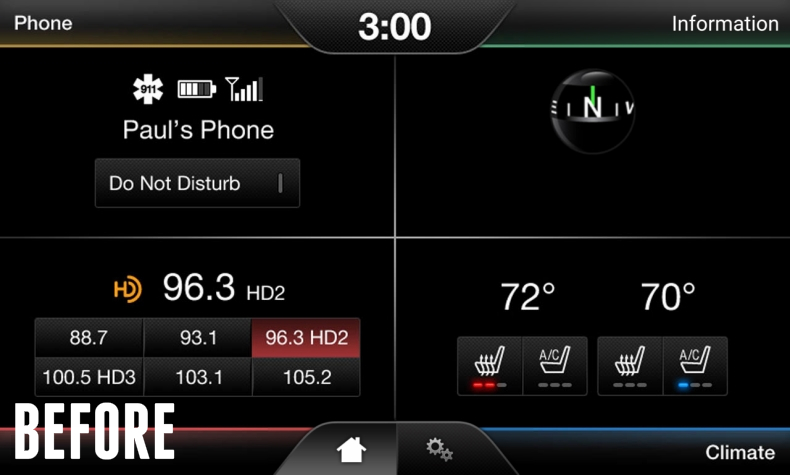
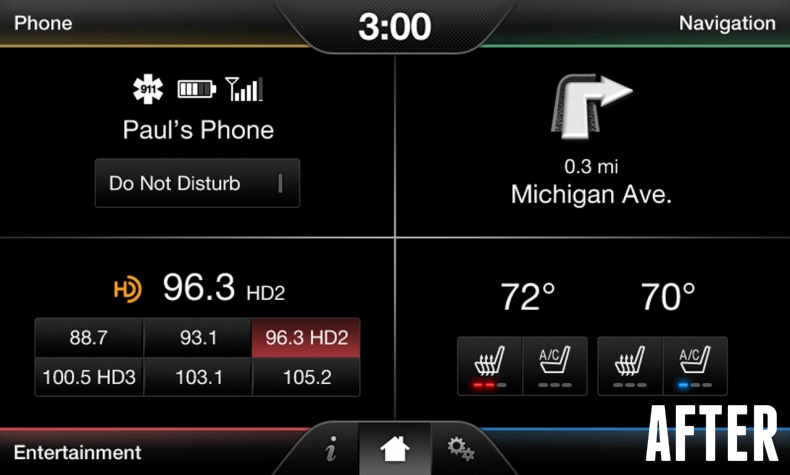
Want to add factory OEM navigation to MyFord Touch / MyTouch? Our complete Super Duty Navigation kit contains genuine Ford parts, includes everything needed and comes pre-programmed. Check out videos or user manual below to see how it works!
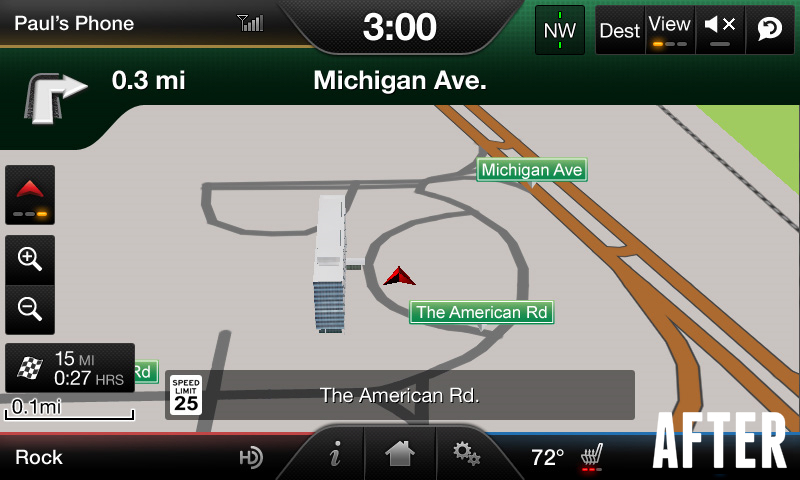
INCLUDED:
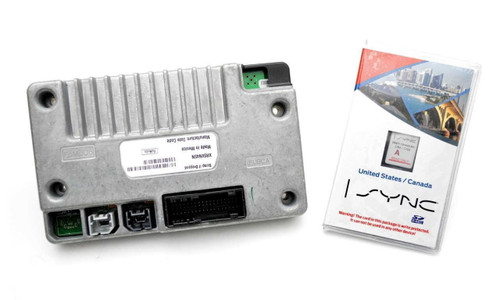
- Genuine Ford voice activated navigation system control module.
- Latest SD map card containing full maps for USA and Canada.
- Vehicle specific programming - NO trip to the dealer required! (VIN Required During Checkout)
- Live technical support.
FEATURES:
- Plug n' play - hassle free installation w/ no cut or spliced wiring.
- Maintains ALL existing features while adding the factory navigation option. - (Backup Camera, Heated Seats, Park Assist, Climate Controls, etc)
- Will operate exactly like it came from the factory with navigation.
- No additional antenna required (your vehicle already has one).
- Supports subscription to SiriusXM for traffic, weather, sports and movie information.
- Now with support for Siri® Eyes-Free!
INSTALLATION:
- Install Time: ~15 minutes
- Install Ease: 1 out of 5
REQUIRED TOOLS:
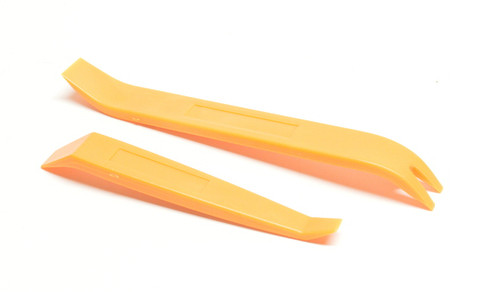
- Dash removal tools VIEW | ADD TO CART
- 7mm nut driver VIEW | ADD TO CART
- Phillips screwdriver
COMPATIBILITY:
- 2013, 2014, 2015 & 2016 Ford F250 | F350 Super Duty pickup trucks equipped the 8" MyFord Touch system
FREQUENTLY ASKED QUESTIONS:
- Q – “If I update my Sync system using the Ford SyncMyRide website, will that cause the navigation feature to be deactivated?”
- A – No. A consumer installed software update will NOT affect this navigation upgrade.
- Q – “If I perform a master reset, will that cause the navigation feature to be deactivated?”
- A – No. A master reset will NOT affect this navigation upgrade.
- Q – “Will this kit void my factory warranty?”
- A – No. This kit will not void your vehicle warranty. Although Ford will not warranty the components in our kit, we do for one full year!
- Q – “Will this kit affect my SiriusXM subscription?”
- A – No. SiriusXM subscriptions are NOT affected by our kit - your SiriusXM ID will remain the same.
Warranty information
One year from date of purchase23 Reviews Hide Reviews Show Reviews
-
Nav upgrade F250
The upgrade worked as expected. Installation went off without a hitch. Instruction videos were awesome.
-
Great navigation
Easy install and it works as if the factory installed my navigation!
-
Navigation Upgrade
A few days in and working great. I want to see how it will hold up in the long run, but thus far , it's great.
-
Map update on sync 2
Works great and easy install
-
My touch navigation upgrade
Ez install works great
-
My touch navigation upgrade
Plug and play works well ez install
-
Great Product.
Works Great
-
Excellent Navigation Upgrade
Navigation system looks and works great. Installation went better and quicker than I had expected it to. Installation video is very helpful, but the written instructions should be read completely first, to expose to a gotcha at the end that some (including me) will encounter that requires touch screen realignment. There is also a video for that and it too went well (after a call to support). Take care in removing the power outlet bezels. They should be pried out from the bottom first, otherwise you may be out an extra $80 to replace them after snapping off the upper tabs. All in all, adding this upgrade was a good move.
-
Great product
They say 15 minutes to install, more like 5. This is the simplest upgrade I have ever done. Works flawless I would recommend this to anyone who wants navigation in there vehicle.